
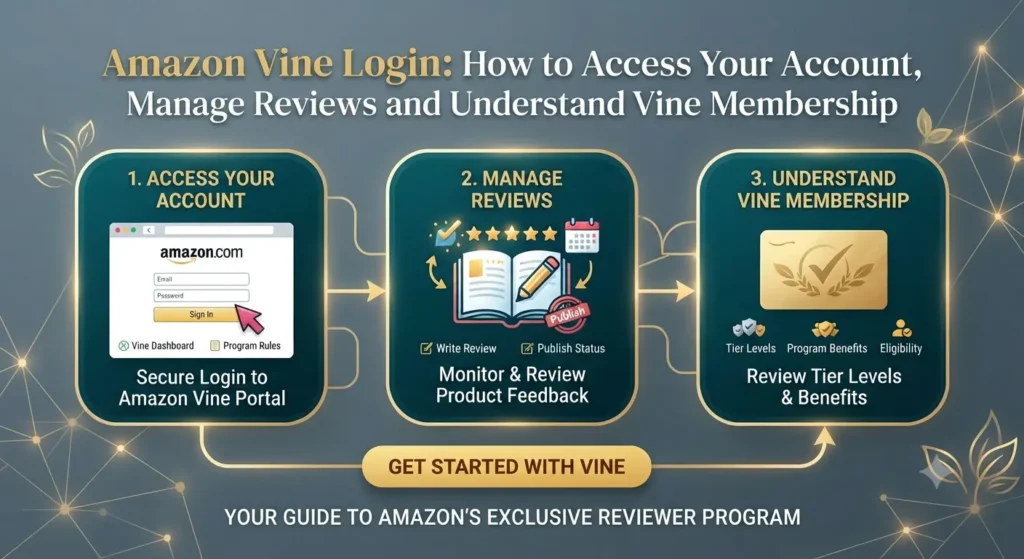
Amazon Vine Login: How to Access Your Account, Manage Reviews and Understand Vine Membership
Introduction
Amazon Vine is a product-review programme designed to help customers make more informed purchasing decisions. It connects selected reviewers, known as Vine Voices, with products submitted by participating sellers. Reviewers can receive eligible products at no cost in exchange for sharing honest and independent feedback.
Because Amazon Vine has separate experiences for reviewers and sellers, searching for Amazon Vine Login can sometimes lead to confusion. A customer who has been invited to participate needs to access the Vine area through their Amazon shopping account. A seller, on the other hand, generally manages product enrolment through Seller Central.
Understanding which account you need, where to sign in and what to expect after logging in can make the process much easier.
This guide explains how Amazon Vine login works, how reviewers and sellers access the programme, how to manage review responsibilities and what to do when account access or programme eligibility becomes a problem. It also covers common misconceptions so that new users do not mistake Vine for a public sign-up service.
1. What Is Amazon Vine?
Amazon Vine is an invitation-based customer review programme. Amazon selects certain customers to become Vine Voices, who can request eligible products enrolled by sellers and publish reviews based on their experience.
The programme has two sides:
-
Reviewer side: Invited customers browse eligible products, request items and write honest reviews.
-
Seller side: Eligible sellers enrol products and provide units for Vine Voices to try.
The purpose is to give shoppers more useful product information, particularly when a listing is new and has limited customer feedback. Vine reviews are intended to reflect the reviewer’s genuine opinion. A seller cannot pay to guarantee a positive review or dictate what a Vine Voice writes.
Is Amazon Vine the same as Amazon Associates?
No. These programmes serve different purposes.
| Programme | Main purpose |
|---|---|
| Amazon Vine | Selected customers review products provided through the programme |
| Amazon Associates | Participants earn commissions by referring customers to Amazon products |
| Amazon Seller Central | Sellers manage listings, inventory, advertising and selling programmes |
If you want to review products through Vine, you need to be invited as a Vine Voice. If you want to enrol your own products, you need access to the seller programme through Seller Central.
2. Amazon Vine Login: Which Account Should You Use?
Before attempting to log in, identify which side of the programme you want to access.
For Amazon Vine reviewers
Vine Voices use their eligible Amazon customer account to access the Vine experience. It is not a separate seller account, and you should not create a Seller Central account simply to try to become a reviewer.
If Amazon has invited you, sign in using the Amazon account associated with that invitation. Look for the Vine area or invitation details provided by Amazon. The available experience may depend on the Amazon marketplace and the account’s programme access.
For Amazon sellers
Sellers access Vine through Amazon Seller Central. Sign in using the selling account that manages the relevant product listings.
After signing in, look for Vine in the Seller Central navigation. Amazon’s India help documentation describes the product-enrolment process as starting from the Vine section, where sellers enter an eligible ASIN and review the enrolment details.
3. How to Access Amazon Vine as a Reviewer
If you have received an invitation, the following steps can help you get started.
Step 1: Check your Amazon invitation
Amazon Vine is not an open programme where anyone can create a reviewer profile. Amazon invites customers based on the quality and usefulness of their previous reviews.
Check your Amazon account and any relevant messages from Amazon. Make sure you are using the same customer account associated with the invitation.
Step 2: Sign in to your Amazon account
Open the Amazon marketplace where you received the invitation. Enter your usual account credentials and complete any additional verification Amazon requests.
Avoid using a different account if your invitation is linked to another one. Switching accounts can make it appear that you do not have access.
Step 3: Open the Vine area
If your account has been accepted, access the Vine section through the relevant Amazon marketplace. The available interface allows participating reviewers to explore products that sellers have enrolled.
If you cannot see Vine, check whether you are signed in to the correct account and marketplace. Having an ordinary Amazon shopping account does not automatically provide Vine access.
Step 4: Explore available products
Vine Voices can browse products that are available to request. Product selection depends on what sellers have enrolled and what is available to the reviewer.
Read product descriptions carefully before requesting an item. Consider whether it is something you can genuinely evaluate and whether you have enough time to use it before writing a review.
Step 5: Request a product
When you find an eligible item, follow the request process shown in your Vine account. Product availability can change, and a requested item is not necessarily available indefinitely.
Do not request products simply because they are free. A useful Vine review requires actual experience with the product.
Step 6: Receive and evaluate the item
After receiving a product, inspect it and use it as appropriate. Consider its build quality, usability, features, performance and any limitations.
The review should describe your own experience rather than repeat the product listing.
Step 7: Submit an honest review
Write a clear review that explains what worked, what did not and who might find the product useful. Follow the instructions and deadlines displayed in your account.
A balanced review is more valuable to shoppers than exaggerated praise or criticism.
4. How to Access Amazon Vine Through Seller Central
The seller login process is different because sellers use Vine to enrol eligible products rather than request products for personal review.
Step 1: Sign in to Seller Central
Open the Seller Central marketplace where your products are listed. Use the selling account that has permission to manage the relevant ASINs.
For Amazon India, use the India Seller Central account rather than assuming that access through another marketplace will automatically provide the same programme features.
Step 2: Find the Vine section
Navigate to the Vine area in Seller Central. Amazon’s India help instructions describe this as the starting point for product enrolment.
Step 3: Enter the product ASIN
Enter the ASIN of the product you want to enrol. Amazon checks whether the listing meets the programme’s eligibility requirements.
An ASIN is Amazon’s unique identifier for a product listing. Make sure you select the correct listing and variation.
Step 4: Choose the number of units
For Amazon India, the enrolment instructions state that sellers can enrol between one and 30 units for a standalone ASIN. Product families with variations have additional selection steps.
Choose a quantity based on your available inventory and launch objectives.
Step 5: Review the enrolment fee
Before submitting, review the fee displayed by Amazon. The amount depends on the marketplace and the number of units enrolled.
For Amazon India, the published terms list the following fee structure, excluding GST:
| Units enrolled per parent ASIN | Enrolment fee |
|---|---|
| 1–2 | ₹0 |
| 3–10 | ₹1,000 |
| 11–30 | ₹2,600 |
The India terms state that the fee is charged when the first Vine review is published within 90 days of enrolment. The fee details displayed during enrolment should be treated as the final reference because programme terms can change.
Step 6: Confirm the enrolment
Read the programme terms, verify the selected quantity and submit the enrolment. Once accepted, the product becomes visible in the Vine dashboard.
Step 7: Monitor product progress
Use the dashboard to check enrolment status, product requests and published reviews. Amazon India also provides status information for products that are scheduled, concluded or concluded without reviews.
5. Amazon Vine Eligibility: Who Can Participate?
Eligibility depends on whether you are joining as a reviewer or enrolling products as a seller.
Reviewer eligibility
Amazon Vine is invitation-only. There is no general public application form that guarantees entry.
Amazon says it invites customers based on the insightfulness of reviews they have published. This means the usefulness of your feedback matters more than simply how many reviews you have written.
If you want to improve the quality of your Amazon reviews:
-
Explain how you used the product.
-
Describe specific advantages and disadvantages.
-
Include relevant details about quality, fit, ease of use or performance.
-
Avoid writing reviews based only on the product description.
-
Keep your feedback fair, clear and relevant to other shoppers.
-
Do not exaggerate claims or write reviews for products you have not properly evaluated.
These habits do not guarantee an invitation, but they help you contribute more useful customer feedback.
Seller eligibility
Seller requirements can vary by marketplace. Amazon’s US programme documentation, for example, identifies a Professional selling account, the appropriate brand role for registered brands and an eligible Fulfilment by Amazon (FBA) offer as key requirements.
For Amazon India, sellers should check the eligibility details shown in their own Seller Central account before enrolling.
Product eligibility can also depend on the listing and category. Amazon’s India documentation provides product restrictions and enrolment rules, so sellers should not assume that every ASIN can participate.
6. How to Manage Amazon Vine Reviews and Tasks
Logging in is only the first step. Both reviewers and sellers need to understand how to manage their activity after accessing the programme.
Reviewer review management
Vine Voices should keep track of the products they request and the reviews they still need to submit.
A simple routine can help:
-
Check your Vine account regularly.
-
Review the details of each requested product.
-
Keep track of deliveries.
-
Test products before writing feedback.
-
Submit reviews according to the instructions in the account.
-
Check whether a review has been submitted successfully.
Avoid rushing through several reviews with identical wording. Each product deserves an individual assessment.
Seller review management
Sellers can use the Vine dashboard to monitor enrolled products and their progress. Amazon India says the dashboard shows recent enrolments, product orders, review status and whether an enrolment is blocked. Older enrolments can be located using an ASIN or SKU search.
A seller should regularly check:
-
Whether the ASIN was successfully enrolled.
-
Whether the listing has any eligibility blockers.
-
How many units have been claimed.
-
Whether reviews have been published.
-
Whether the enrolment is still active.
-
Whether the enrolment has concluded.
Remember that Amazon does not guarantee a review for every unit enrolled. Review submission is at the discretion of Vine Voices.
7. Understanding Amazon Vine Dashboard Statuses
The dashboard helps sellers understand what is happening after enrolment.
Amazon India’s help documentation describes several important statuses.
| Status | What it means |
|---|---|
| Scheduled | The product is waiting to become available for Vine Voices to claim |
| Concluded | The enrolment has received the expected reviews or passed the applicable 90-day period |
| Concluded no Reviews | No review was received during the 90-day period |
These statuses help sellers distinguish between an enrolment that is still progressing and one that has reached its conclusion.
If a product is blocked or requires action, review the information displayed in Seller Central. The issue may relate to product eligibility, listing information or another programme requirement.
8. Amazon Vine Login Problems and How to Fix Them
Users may sometimes have difficulty accessing Vine even when they have an Amazon account. The cause can be a sign-in issue, an incorrect marketplace or a lack of programme access.
Here are some common situations and possible solutions.
Problem 1: Amazon Vine is not visible after login
Possible reason: Your account may not have been invited to Vine, or you may be signed in to the wrong Amazon account.
What to do: Check the account associated with your invitation. If you have never received an invitation, remember that creating an Amazon account alone does not provide reviewer access.
Problem 2: You are using the wrong marketplace
Possible reason: Vine access and programme availability are marketplace-specific.
What to do: Sign in to the Amazon marketplace connected to your Vine participation or seller account. Do not assume that access in one country automatically applies to another.
Problem 3: Seller Central does not show Vine
Possible reason: Your seller account, user permissions, brand role or product eligibility may not meet the programme requirements.
What to do: Confirm that you are using the correct Seller Central marketplace and account. Review the current Vine eligibility requirements and check whether your user has the necessary permissions.
Problem 4: Your ASIN cannot be enrolled
Possible reason: The product may not meet the programme’s listing or category requirements.
What to do: Review the ASIN, fulfilment method, product information and any eligibility message shown in Seller Central. For India, use the current marketplace-specific Vine help documentation rather than relying on requirements published for another country.
Problem 5: Your password is not working
Possible reason: You may have entered incorrect credentials, used a different account or encountered a temporary sign-in issue.
What to do:
-
Check your email address or mobile number.
-
Use Amazon’s official password recovery process if needed.
-
Complete any security verification.
-
Try signing in through the correct marketplace.
-
Avoid sharing your password or verification code with anyone claiming to provide Vine access.
Problem 6: Your Vine dashboard is not loading
Possible reason: Browser settings, extensions, network issues or a temporary Amazon service problem may be interfering with the page.
What to do: Refresh the page, sign out and back in, update your browser or try a different browser. Seller Central’s India enrolment instructions specify desktop-browser access for the relevant tool.
Problem 7: A product has not received a review
Possible reason: Vine Voices decide independently whether to request and review products. Enrolment does not guarantee that a review will be submitted.
What to do: Check the dashboard for the product’s status and review progress. Amazon’s India terms explain that no review is guaranteed and that an enrolment with no review within 90 days is not charged an enrolment fee under the stated fee policy.
9. Amazon Vine Fees: What Reviewers and Sellers Should Know
The financial arrangements are different for reviewers and sellers.
Do Vine reviewers pay for products?
Vine Voices can request eligible products without paying the normal product price through the programme. However, users should read the applicable marketplace rules and any tax obligations that may apply to them.
Receiving a product does not mean the reviewer should promise a favourable review. Feedback must remain independent.
Do sellers pay to enrol products?
Seller fees depend on the marketplace and its current fee structure.
For Amazon India, the published Vine terms list a zero enrolment fee for one or two units, ₹1,000 for three to ten units and ₹2,600 for eleven to thirty units, excluding GST. The fee is linked to the first review being published within 90 days, subject to the programme terms.
Do not apply these Indian rates to the US, UK or another marketplace. Always check the fee displayed in your own Seller Central account before confirming an enrolment.
10. Is Amazon Vine Available in India?
Yes. Amazon provides an Amazon Vine programme for the Amazon.in marketplace, with India-specific seller help pages, terms and enrolment fee information.
For Indian sellers, the programme can be relevant when launching eligible products and seeking early customer feedback. However, access as a reviewer is different from seller participation.
A customer in India should not assume that they can join Vine by filling out a public registration form. Amazon selects Vine Voices through invitations. Sellers should use their Amazon.in Seller Central account to check product eligibility and enrolment details.
What Indian sellers should check before enrolling
-
Whether the product is eligible under Amazon.in’s current programme rules.
-
Whether the listing and fulfilment arrangements meet the requirements.
-
How many units they plan to enrol.
-
The enrolment fee shown before submission.
-
Whether their inventory can support the programme.
-
Whether the product information is accurate and complete.
The India-specific terms also state that sellers must not contact Vine Voices to influence their reviews. Reviews are independent and may be positive, negative or mixed.
11. Best Practices for Amazon Vine Reviewers and Sellers
A successful Vine experience depends on following the programme’s purpose and rules.
For Vine Voices
Focus on useful feedback. Explain the actual experience instead of writing generic comments.
Be specific. Mention product quality, ease of use, durability, design and practical performance when relevant.
Remain independent. Do not let the fact that a product was provided free of charge influence your opinion.
Avoid unsupported claims. Review what you personally experienced rather than making assumptions about performance or quality.
Manage your requests. Request products you have the time and ability to evaluate properly.
For sellers
Prepare your listing before enrolment. Use accurate product titles, descriptions and images so reviewers understand what they are requesting.
Check inventory. Make sure the product is available through the required fulfilment arrangements.
Choose an appropriate quantity. Enrolling more units does not guarantee more reviews.
Monitor the dashboard. Check product status, claimed units and review progress regularly.
Accept independent feedback. Do not attempt to influence reviewers or expect only positive comments.
Use feedback constructively. Reviews can highlight product strengths, customer concerns and opportunities to improve future versions.
12. Amazon Vine Login vs Amazon Seller Central: Key Differences
Although both experiences are connected to the same programme, their purposes are different.
| Feature | Vine Voice account | Seller Central account |
|---|---|---|
| Main user | Invited customer | Amazon seller |
| Login account | Amazon customer account | Amazon selling account |
| Main purpose | Request and review products | Enrol eligible products |
| Product access | Browse eligible Vine products | Manage enrolled ASINs |
| Reviews | Write independent feedback | Monitor published reviews |
| Fees | Products provided through the programme | Marketplace-specific enrolment fees may apply |
| Access | Invitation-based | Subject to seller and programme eligibility |
Understanding this difference is important because a seller account does not automatically make someone a Vine Voice, and an ordinary customer account does not provide access to seller enrolment tools.
Conclusion
Amazon Vine Login is straightforward once you understand the difference between reviewer access and seller access. Vine Voices use their invited Amazon customer accounts to explore eligible products and submit independent reviews, while sellers manage product enrolment through Seller Central.
For reviewers, the most important things are to understand the invitation-based system, choose products carefully and provide honest feedback. For sellers, preparation matters: check product eligibility, review the applicable fees, maintain suitable inventory and monitor enrolment progress.
If you are trying to access Amazon Vine, start by identifying which side of the programme you want to use. This will help you find the correct account, avoid unnecessary sign-up attempts and understand the features available to you.
Can anyone join Amazon Vine?
No. Amazon Vine is an invitation-only programme for reviewers. Amazon selects customers based on the usefulness and insightfulness of their previous reviews. There is no general public reviewer application that guarantees entry.
How do I log in to Amazon Vine?
If you are an invited Vine Voice, sign in to the Amazon customer account associated with your invitation and access the Vine area in the relevant marketplace. Sellers must sign in to Seller Central and open the Vine section.
Is Amazon Vine free to join?
Vine Voices receive eligible products without paying their normal purchase price through the programme. Sellers may have to pay enrolment fees depending on their marketplace and the number of units enrolled.
Can I become an Amazon Vine reviewer in India?
Amazon.in operates a Vine programme, but reviewer participation is invitation-based. Having an Amazon.in shopping account does not automatically make you eligible to participate.
How can I improve my chances of receiving an Amazon Vine invitation?
Write detailed, honest and helpful reviews for products you genuinely purchase and use. Explain practical advantages and disadvantages rather than posting short, generic comments. However, Amazon does not guarantee an invitation based on any particular number of reviews.