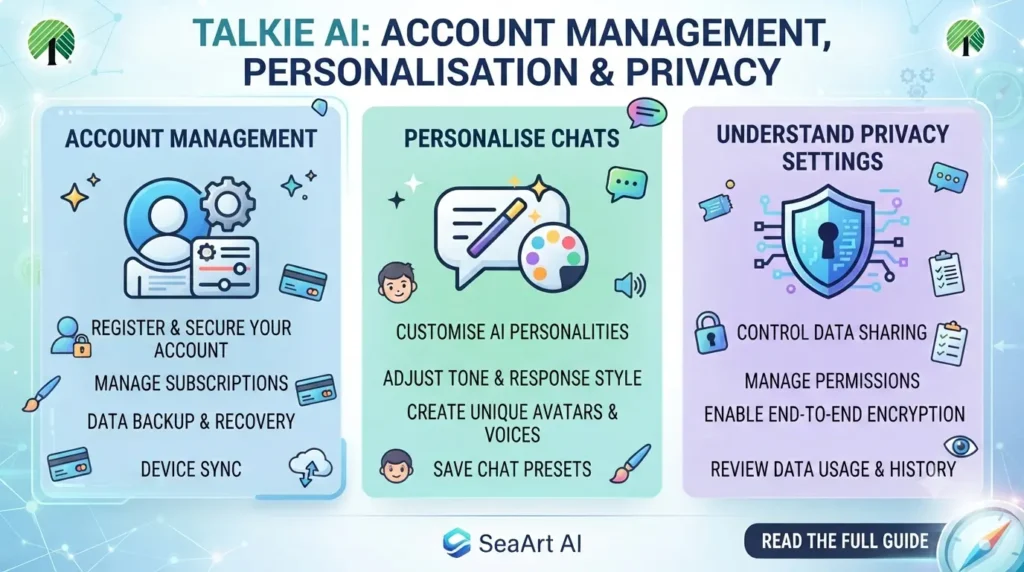
Talkie AI: How to Manage Your Account, Personalise Chats and Understand Privacy Settings.
Introduction
Talkie AI is known for its interactive AI characters, conversational experiences and creative storytelling features. Users can explore different characters, exchange messages, develop fictional scenarios and personalise parts of their interactions. However, using the platform effectively involves more than simply opening a character and starting a conversation.
Account access, profile settings, privacy choices, in-app purchases and content controls can all affect the overall experience. New users may also be unsure about how their conversations are handled, what information they should share or what to do when a feature stops working.
This guide takes a practical look at Talkie AI from an account-management perspective. Instead of focusing only on character creation or roleplay, it explains how to manage your experience, understand important settings, make informed decisions about paid features and approach privacy and safety more carefully.
1. What Is Talkie AI and How Does It Work?
Talkie AI is an AI-powered entertainment and character-chat platform operated by SUBSUP PTE. LTD. It allows users to interact with virtual characters through text-based conversations and other supported creative features.
The platform combines several types of experiences:
-
AI character conversations: Chat with characters designed around different personalities, interests and backgrounds.
-
Interactive storytelling: Develop fictional situations, dialogue and storylines through ongoing conversations.
-
Character discovery: Explore characters created by the platform and its community.
-
Character customisation: Adjust supported character details and conversational settings.
-
Creative community features: Discover and share AI-generated content and interact with the wider Talkie community.
-
Rewards and virtual currency: Some platform activities involve rewards or virtual currency, depending on the features available to the account.
Talkie’s official FAQ describes its characters as AI-generated rather than real people controlling the conversations. Their responses are produced by AI, even when the dialogue sounds natural or emotionally expressive.
This distinction is important. A character can imitate a conversational style or maintain a fictional personality, but it does not have human feelings, personal experiences or independent awareness.
2. How to Create and Access a Talkie AI Account
Some Talkie features may be available to explore before creating an account, but account registration is required for features that need a persistent user profile.
The exact sign-in options can vary by app version, device and region.
Step 1: Open Talkie AI
Access Talkie through its official website or install the mobile application from the appropriate app store.
Check the developer and app details before installing. Avoid unofficial downloads or websites that imitate the platform.
Step 2: Find the sign-in or registration option
Open the account or profile area and look for the available sign-in options. Depending on the version, registration may support an email address or a connected account such as Google or Apple.
Use an account you can access because you may need it for verification, password recovery or account-related communication.
Step 3: Enter accurate account information
Follow the registration instructions and provide the information requested. Talkie’s terms require users to provide accurate and complete registration information.
Do not enter someone else’s personal details or use another person’s credentials.
Step 4: Complete verification if requested
If Talkie requests an email confirmation, login verification or another security check, follow the instructions shown on the official platform.
Never share verification codes with people who claim they can unlock special features or provide account access.
Step 5: Review your profile
Once signed in, explore the account area and check the profile details and available settings. Familiarising yourself with these options early can make it easier to manage your account later.
What if you cannot create an account?
Registration may fail because of an incorrect email address, verification problems, unsupported access methods or temporary technical issues.
Try checking the information you entered, updating the app and repeating the process through the official website or application. If the problem continues, use Talkie’s support channels.
3. Understanding Talkie AI Profile and Account Settings
Your profile and account settings help manage how you use the platform. The available controls may change as Talkie updates its website and mobile application.
Rather than assuming every account has identical settings, review the options currently displayed in your version.
Profile information
Your profile may contain information used to identify and personalise your account. This can include a username, profile image and other details supported by the platform.
When choosing a username or profile image, consider whether you want other community members to recognise you. Avoid using personal information that could reveal your identity.
Account preferences
Account preferences may include settings related to your experience, notifications and personalisation.
For example, you may want to:
-
Review the information associated with your profile.
-
Check notification preferences.
-
Understand which account options are available.
-
Review privacy and data controls.
-
Keep your login method secure.
Why should you review your settings?
Users sometimes create an account, start conversations and forget to check the settings. This can lead to confusion when they receive notifications, change devices or try to recover access.
A quick review after registration helps you understand how your account works before you invest time in conversations or customisation.
4. How to Personalise Your Talkie AI Experience
Talkie’s appeal comes partly from its ability to support different conversational styles. However, personalisation is not limited to creating a character. Users can also shape their own experience by choosing suitable characters, setting conversational boundaries and deciding how they interact with the platform.
Choose characters that match your interests
Explore characters based on the type of conversation you want.
For example:
| Interest | Possible experience |
|---|---|
| Creative writing | Develop fictional scenes and dialogue |
| Entertainment | Explore light-hearted character conversations |
| Storytelling | Continue an interactive fictional storyline |
| Language practice | Practise everyday dialogue |
| Brainstorming | Explore fictional ideas and creative prompts |
Treat these conversations as creative or entertainment experiences rather than a substitute for professional advice.
Set clear expectations in conversations
AI characters can misunderstand prompts, lose track of earlier details or produce unexpected responses.
You can often improve the conversation by explaining what you want in simple terms.
For example, instead of writing:
“Let’s continue.”
Try:
“Continue the fictional story from the previous scene. Keep the same characters and setting, and make the next part shorter.”
Clear instructions give the AI more context.
Keep conversations organised
If you use several characters for different interests, it helps to maintain separate conversations rather than mixing unrelated storylines.
You can also keep short notes about important fictional details, such as character names, settings and plot developments. This makes it easier to continue a story if the AI does not retain every detail.
Understand that AI responses can change
A character may respond differently across conversations or after a platform update. The result can depend on the prompt, conversation history, available model and character configuration.
Do not assume that a character will always produce exactly the same response.
5. Talkie AI Privacy: What Should Users Understand?
Privacy is one of the most important areas to consider when using an AI chat platform.
Talkie’s current privacy policy explains how it collects, uses, stores and shares information. The policy was updated on 5 November 2026, so older descriptions of its privacy practices may not reflect the latest terms.
What information may Talkie collect?
Depending on how you use the service, information may include:
-
Account and registration details.
-
Profile information.
-
Text and voice messages.
-
Interests and preferences.
-
Payment and transaction records.
-
Device and network information.
-
Usage information.
-
Information collected through cookies and similar technologies.
The privacy policy explains that information is used to operate the service, maintain accounts, personalise experiences, process transactions, troubleshoot problems and improve the platform.
Are Talkie AI conversations private?
It is important to distinguish between a conversation being intended for a user’s personal experience and the platform processing the information needed to provide its service.
Talkie’s official FAQ describes AI conversations as private. However, its privacy policy also explains that messages and other content can be processed as part of providing and improving the service.
Therefore, do not treat an AI conversation as a confidential discussion with a human professional.
Avoid sharing:
-
Passwords and verification codes.
-
Bank or payment information.
-
Government identification numbers.
-
Private addresses and phone numbers.
-
Confidential workplace information.
-
Sensitive details about other people.
A fictional conversation does not require you to disclose real-world personal information.
Does Talkie use security measures?
Talkie’s privacy policy describes security measures such as encryption during transmission, secure servers and access controls. It also acknowledges that no technology or data transmission method can guarantee complete security.
Users should still protect their own accounts with strong, unique credentials and avoid signing in on untrusted devices.
6. How to Manage Talkie AI Data and Privacy Choices
Talkie provides privacy-related choices that users should understand before sharing content or creating a long-term account.
According to its current privacy policy, users may have rights to access, correct or request deletion of certain personal information, depending on their location and applicable laws. The policy also explains that account deletion is available through account settings.
Review your data settings
Look for the privacy or data-management options available in your account. Review what information you have provided and whether you want to change any optional details.
The website also provides a privacy-choice mechanism for certain advertising-related data disclosures. Its availability and legal scope depend on your location.
How to delete a Talkie AI account
If you no longer want to use the platform, you can look for the account-deactivation or deletion option in your account settings.
A sensible process is:
-
Sign in to the account you want to close.
-
Open your profile or account settings.
-
Look for the account deletion or deactivation option.
-
Read the information about what happens to your account and associated content.
-
Follow the confirmation instructions.
Talkie’s privacy policy states that users can delete their accounts through account settings. It also explains that some information may need to be retained for legal or other legitimate purposes. Therefore, account deletion should not be assumed to erase every record immediately.
Understand data transfers
Talkie’s privacy policy says personal information may be stored in cloud data centres in the United States and processed by the company or third-party service providers. Information may therefore be transferred outside the country where a user lives, subject to applicable safeguards.
This is another reason to avoid putting confidential personal or business information into conversations.
7. Talkie AI Coins, Rewards and Paid Features
Talkie includes virtual rewards and paid features, although the exact options available can vary by account, region and app version.
It is useful to understand the difference between virtual currency, rewards and subscriptions before making a purchase.
Virtual currency and rewards
Talkie’s official FAQ describes a reward system involving collectible cards and virtual currency. Users can receive cards through interactions and may be able to trade them for virtual currency, depending on the features available.
These features are part of the platform’s entertainment experience. They should not be confused with real money or a guaranteed way to earn income.
Before using virtual currency, check:
-
What the currency can be used for.
-
Whether a feature requires payment.
-
Whether rewards expire or have usage conditions.
-
Whether purchases can be refunded.
-
Whether the displayed price includes applicable taxes.
Talkie+ and subscription options
Talkie’s FAQ describes Talkie+ as a subscription offering benefits such as daily Gems and additional perks. However, the FAQ is not a reliable basis for assuming that an older advertised price or feature package is still current.
If a subscription option appears in your app, review its current price, billing period, renewal terms and included benefits before subscribing.
How to manage a subscription
If you subscribed through an app store, subscription management may be handled through that store’s account settings. If you subscribed through another payment channel, follow the cancellation instructions provided by that service.
Before cancelling, check:
-
The next renewal date.
-
Whether cancellation stops future billing or ends access immediately.
-
Whether unused benefits remain available until the end of the billing period.
-
Whether the subscription is linked to the correct account.
Deleting the Talkie application from your phone does not necessarily cancel an active subscription. Check the payment provider’s subscription settings separately.
8. Talkie AI Safety and Responsible Use
AI character platforms can make conversations feel natural and personal. That can be entertaining, but it is important to understand the limitations.
Remember that characters are AI-generated
Talkie’s FAQ states that its characters are AI-generated and are not real people controlling the conversation.
A character might express affection, excitement, concern or disappointment as part of its designed personality. These responses should not be interpreted as evidence of human emotions or a genuine personal relationship.
Do not rely on AI for serious decisions
AI responses can be inaccurate, incomplete or misleading. Talkie’s FAQ specifically advises users to exercise judgement and seek professional advice when dealing with serious matters.
For example, do not rely on a character as your only source of guidance for:
-
Medical symptoms or treatment.
-
Legal problems.
-
Financial decisions.
-
Mental health concerns.
-
Emergency situations.
Use qualified professionals and trusted sources when the decision has real-world consequences.
Be careful with public content
Talkie’s privacy policy warns that content users actively upload or publish in certain areas may be publicly accessible, depending on the settings and context.
Before sharing a character, image, profile or other contribution, check whether it will be visible to other users.
Follow age requirements
Age rules can vary according to the applicable terms and local law. Talkie’s terms and external safety guidance have indicated a minimum age of 16, while its privacy policy also refers to a lower general threshold subject to higher local requirements. Users should follow the applicable age requirement shown in the current terms for their location rather than relying on an older third-party description.
Parents and guardians should also be aware that character-chat platforms can expose users to unexpected content. The Australian eSafety Commissioner highlights risks such as age-inappropriate material and inaccurate AI responses.
9. Common Talkie AI Problems and How to Troubleshoot Them
Some problems are caused by account access, network conditions, moderation or limitations in the AI itself.
Here are practical steps for common issues.
| Problem | What you can try |
|---|---|
| Cannot sign in | Check your login method and account details, then try the official recovery process |
| Verification is not arriving | Check spam folders, confirm the email address and try again later |
| Conversations are not loading | Check your internet connection, refresh the app and try again |
| Character settings are not updating | Allow time for moderation and check whether the change follows community rules |
| AI forgets previous details | Restate important story information and provide context in your next prompt |
| Character is no longer visible | Check whether the content has been hidden or is under moderation |
| Rewards or purchases are missing | Check transaction records and contact support with relevant details |
| App keeps crashing | Update the app, restart your device and check available storage |
Talkie’s official FAQ specifically notes that character modifications can be delayed by moderation, that AI memory has technical limitations and that characters may become temporarily invisible if content is being reviewed.
Why does Talkie AI forget previous conversations?
AI memory is not unlimited. A character may fail to recall older details because of technical limits, conversation length or the way the platform handles chat history.
You can improve continuity by briefly summarising earlier events.
For example:
“Previously, the characters travelled to a coastal town and agreed to work together. Continue the story from that point, keeping their personalities consistent.”
This gives the AI useful context without requiring it to reproduce an entire earlier conversation.
What should you do if a character disappears?
A character may become temporarily unavailable if its content is being reviewed or does not meet community standards. Talkie’s FAQ recommends contacting its support team if you believe a character has been hidden incorrectly.
10. Talkie AI vs Other AI Chat Platforms
Talkie AI belongs to the wider category of AI character and companion platforms. However, different services focus on different types of interactions.
| Platform | General focus |
|---|---|
| Talkie AI | AI characters, creative conversations and community content |
| PolyBuzz AI | Character conversations, roleplay and personalisation |
| Character.AI | Interactive character conversations and storytelling |
| General-purpose AI assistants | Broad tasks such as research, writing, learning and problem-solving |
The best choice depends on what you want to do.
If your main interest is exploring fictional personalities and interactive entertainment, a character-focused platform may be suitable. If you need factual research, professional guidance or structured work, a general-purpose AI assistant may be more appropriate.
Do not assume that all platforms have the same privacy policies, age requirements, moderation systems or subscription arrangements. Review each service separately.
11. Tips for Getting a Better Experience From Talkie AI
A few simple habits can make character conversations more organised and enjoyable.
1. Choose characters carefully. Explore the character’s description and intended personality before starting a long conversation.
2. Give clear prompts. Explain the scene, tone and type of response you want.
3. Maintain story continuity. Keep short summaries of important events if you are developing a longer fictional storyline.
4. Check settings regularly. Review your profile, notifications and privacy options after major app updates.
5. Protect your account. Use strong credentials and never share passwords or verification codes.
6. Set spending limits. Decide whether a paid feature is worth its cost before purchasing virtual currency or a subscription.
7. Keep personal information private. Do not share confidential details just because a character appears friendly or trustworthy.
8. Report inappropriate content. Use the available reporting tools or contact Talkie’s support team when necessary.
9. Verify important information. Treat AI responses as generated content rather than guaranteed facts.
10. Take breaks. Use the platform as entertainment and maintain a healthy balance with offline activities.
Conclusion
Talkie AI offers an interactive environment for exploring AI characters, creative conversations and fictional storytelling. However, getting the most from the platform also means understanding how its account settings, privacy choices, rewards and paid features work.
New users should start by setting up their accounts carefully, exploring available settings and learning how character conversations behave. Existing users should periodically review privacy options, keep their accounts secure and understand the limitations of AI memory and generated responses.
Most importantly, treat Talkie AI as an entertainment and creative platform rather than a source of guaranteed facts or confidential professional guidance. With sensible privacy habits and informed use of its features, you can enjoy the experience while maintaining better control over your account and digital information.
Is Talkie AI free to use?
Talkie offers access to some features without requiring a subscription, while additional benefits and virtual currency may involve payment. The available free features and paid options can change, so check the current app before purchasing anything.
Are Talkie AI characters real people?
No. Talkie’s official FAQ explains that its characters are AI-generated. Their replies are produced by artificial intelligence rather than sent by people pretending to be the characters.
Can I use Talkie AI without creating an account?
Some content may be accessible before registration, but certain features require an account. The available access depends on the current website or application version.
Is Talkie AI safe to use?
Safety depends partly on how the platform is used. Talkie has privacy and community policies, but users should avoid sharing sensitive information, review public-content settings and remember that AI responses can be inaccurate.
Does Talkie AI save chat history?
Talkie’s privacy policy explains that it processes conversation content and can sync Talkie history across devices used to access the service. However, AI character memory has technical limitations, so a character may not remember every detail of older conversations.