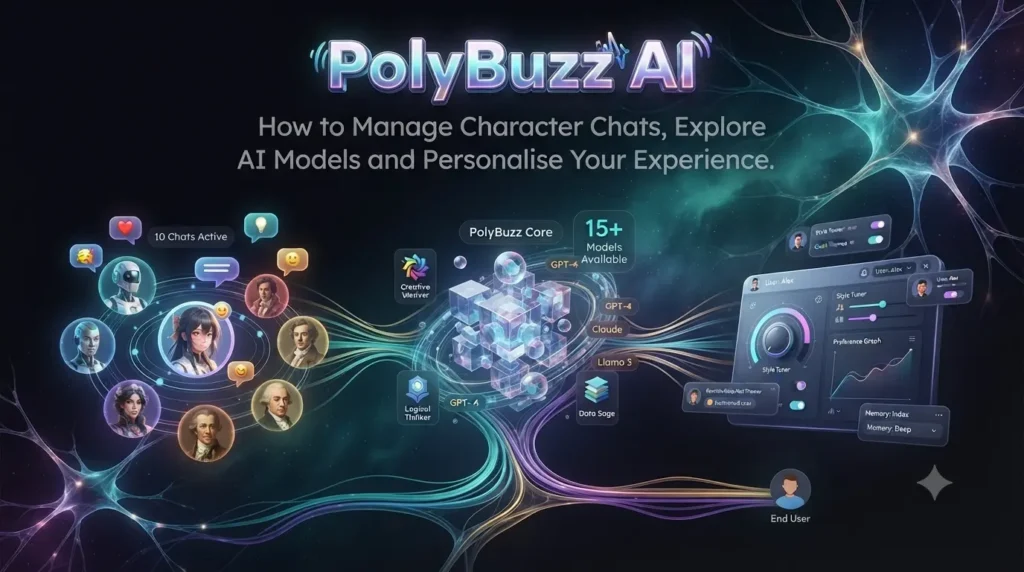
PolyBuzz AI: How to Manage Character Chats, Explore AI Models and Personalise Your Experience.
Introduction
AI character platforms are developing beyond simple question-and-answer conversations. They now offer experiences built around fictional personalities, interactive storytelling, custom characters and different conversation styles. PolyBuzz AI is one platform in this category, giving users opportunities to discover existing characters, create their own and personalise how conversations unfold.
However, using an AI character platform effectively involves more than choosing a character and sending messages. Users may also need to understand conversation settings, memory options, AI models, virtual currency, subscription benefits and account controls.
These features can influence how a conversation feels and how much control users have over their experience. For example, a character’s background and dialogue style can affect its responses, while memory-related settings may help maintain continuity in longer interactions.
This guide takes a practical look at PolyBuzz AI, with a focus on managing character conversations and understanding the platform’s available options. It covers character discovery, personalisation, AI models, memory, coins, subscriptions, privacy and troubleshooting. It also explains what users should check before spending money or sharing personal information.
What Is PolyBuzz AI?
PolyBuzz AI is an AI-powered character chat platform designed for personalised conversations and interactive roleplay. Users can browse existing virtual characters or create their own personalities for different conversational experiences.
Unlike a general-purpose chatbot that focuses primarily on answering questions and completing tasks, PolyBuzz centres its experience on character-driven interactions.
Its official website describes features including AI character discovery, character creation, roleplay and image generation. It also provides creation guides and account-based features.
Common uses include:
-
Exploring fictional characters and personalities.
-
Participating in interactive roleplay.
-
Creating original AI characters.
-
Experimenting with different dialogue styles.
-
Developing fictional conversations and storylines.
-
Using available voice and image-related features.
The experience depends on the selected character, available AI model and account settings. Not every feature necessarily has the same access requirements.
1. Getting Started With PolyBuzz AI
Before exploring advanced settings, it helps to understand how to access the platform and begin a conversation.
Accessing the platform
Users can visit the PolyBuzz website or use its supported mobile application.
The official privacy policy explains that users may register through an email address or sign in using Google or Apple. Some browsing and chat functionality may be available to unregistered users, although certain features require an account.
Starting your first conversation
A typical starting process is:
-
Open the PolyBuzz website or application.
-
Complete the required age confirmation.
-
Browse the available AI characters.
-
Select a character that matches your interests.
-
Review its introduction and personality.
-
Open the chat interface.
-
Send an opening message and continue the interaction.
The interface may change as the platform updates its features.
Choose a character based on your purpose
Before starting a conversation, think about what you want to explore.
For example, someone interested in creative writing may prefer a character with a detailed fictional background. Another user may want casual dialogue or an interactive mystery scenario.
Choosing a character with a suitable personality and setting can make the conversation more coherent.
2. Discover and Organise AI Characters
Character discovery is one of the main parts of PolyBuzz AI. The platform provides a collection of existing personalities, allowing users to explore different themes and conversational experiences.
Rather than selecting characters randomly, it can be helpful to understand what makes one character different from another.
What to check before choosing a character
Character introduction: Read the short description to understand the character’s background and intended role.
Personality: Look for traits that match the type of conversation you want.
Greeting: The opening message can give you an idea of how the character communicates.
Dialogue style: Some characters may be written to communicate casually, while others use dramatic or descriptive language.
Story setting: A character with an established background may be more suitable for extended roleplay.
Keep your favourite characters organised
If you regularly explore different characters, keeping track of your favourites can save time.
PolyBuzz’s published membership information includes features such as pinning favourite characters and customising nicknames for them. Availability depends on the membership level.
A simple organisation approach could look like this:
| Category | Purpose |
|---|---|
| Favourite characters | Personalities you frequently revisit |
| Creative writing | Characters useful for developing stories |
| Casual conversations | Characters for informal interactions |
| Roleplay scenarios | Characters connected to fictional settings |
| New discoveries | Characters you want to explore later |
You can also maintain a separate list of interesting characters outside the application if you want to keep your own record.
3. Personalise Your AI Character Conversations
A character’s personality and background influence the kind of responses it generates. PolyBuzz provides character-related customisation options that can help creators develop more distinctive personalities.
Personalisation is particularly useful when you want a character to follow a particular communication style or participate in a specific fictional setting.
Understand the main character settings
PolyBuzz’s official creation guide describes several elements that creators can configure:
| Setting | Purpose |
|---|---|
| Character name | Establishes the character’s identity |
| Introduction | Gives users an overview of the personality |
| Greeting | Establishes the opening situation |
| Background | Provides history, interests and personality details |
| Labels | Help describe or categorise the character |
| Dialogue examples | Demonstrate the intended speaking style |
| Voice | Adds a suitable voice where supported |
| Character image | Provides a visual identity |
The creation guide recommends using detailed character information and sample dialogue to help produce interactions that better reflect the intended personality.
Why background information matters
Imagine creating a fictional detective.
A basic description might say:
“Alex is a detective.”
This provides very little information about how the character should behave.
A more detailed description could include:
-
Works as a private investigator.
-
Is observant and analytical.
-
Prefers evidence over assumptions.
-
Speaks in short, direct sentences.
-
Has a habit of noticing small details.
-
Enjoys solving complicated mysteries.
These details provide a clearer foundation for the character’s responses.
Use dialogue examples
Sample dialogue can help establish how a character should communicate.
For example:
Character: “You noticed the footprints near the window, didn’t you? Interesting. Most people would have walked straight past them.”
This demonstrates a curious, analytical speaking style.
A few consistent examples can be more useful than a long collection of unrelated personality descriptions.
4. Understand PolyBuzz AI Models and Conversation Styles
One of the more advanced aspects of PolyBuzz AI is its model-related functionality.
The platform’s membership information describes different AI models and conversation experiences, with availability depending on the user’s subscription. Its published options include model names such as Overture, Lumina, Conqueror, Saga, Passion and Tale.
The important point is that model selection can influence the conversational experience.
Why might different models matter?
AI models can differ in how they generate responses, maintain context and handle creative dialogue.
For a character chat platform, users may care about:
-
Response quality.
-
Dialogue consistency.
-
Story development.
-
Context retention.
-
Descriptive writing.
-
Response speed.
However, users should not assume that a particular model will always produce better results in every situation.
A model that works well for short conversations may not necessarily be the best choice for a complicated fictional storyline.
How to approach model selection
If your account provides model-selection options, consider testing them with similar prompts.
For example, ask the same character to continue a fictional scene using different available models.
Then compare:
-
Whether the response follows the original scenario.
-
Whether the character maintains its personality.
-
Whether the dialogue feels natural.
-
Whether important details are preserved.
-
Whether the response suits your preferred writing style.
This gives you a practical way to understand the differences instead of relying only on model names or promotional descriptions.
5. PolyBuzz AI Memory and Conversation Continuity
Memory is an important consideration for anyone who enjoys longer AI conversations.
Without sufficient context, a character may forget details introduced earlier in a storyline. This can make an otherwise interesting interaction feel disconnected.
PolyBuzz’s published membership information describes long-term memory-related options, including a Long Memory feature and a Permanent Memory model. These features are associated with particular membership levels.
What does AI memory mean?
AI memory refers to the ability of a system to retain or use relevant information from previous interactions.
For a character conversation, this may help maintain details such as:
-
The user’s selected character persona.
-
Important events in a fictional story.
-
Previously established relationships between characters.
-
Relevant preferences.
-
Details that support continuing a scenario.
Memory features do not mean that an AI system remembers everything perfectly.
The amount of context retained, the way it is used and the availability of longer-term memory depend on the platform’s implementation and account settings.
How to improve conversation continuity
Even when memory-related features are available, good conversation habits remain useful.
Establish the setting early: Explain where the story takes place and what is happening.
Keep character relationships clear: Define who the characters are and how they know each other.
Avoid unnecessary changes: Introducing several unrelated scenarios can make continuity harder to maintain.
Summarise important events: If a conversation becomes lengthy, provide a short recap of the main developments.
Correct inconsistencies: If a character forgets an important detail, remind it rather than restarting the entire conversation.
For example:
“Remember that we are continuing the mystery from yesterday. We already discovered the letter in the library, but we have not identified who wrote it.”
A short reminder like this can help restore the context of a fictional conversation.
6. Voice Chat and Audio Features
Text is not the only way to experience character-based AI conversations. PolyBuzz also provides voice-related features.
Its membership information lists unlimited voice listening on the chat page among the benefits of paid membership tiers. Individual character pages also display voice-related experiences.
What can voice features add?
Voice can make a character interaction feel different from reading written messages.
Depending on the feature available, users may be able to:
-
Listen to character responses.
-
Experience a character’s selected voice.
-
Explore voice-based interactions.
-
Use audio as part of roleplay.
-
Customise voice characteristics during character creation.
Tips for a better voice experience
-
Check whether your selected character has an available voice.
-
Review microphone permissions if using voice input.
-
Use headphones if background noise affects the experience.
-
Check the account’s available voice allowance.
-
Review any coin or subscription requirements before using paid options.
Voice availability and usage limits may vary. Check the current feature description before assuming that all audio functions are included in a free account.
7. Understand PolyBuzz Coins, Points and Virtual Purchases
Virtual currencies are common in applications that provide additional features through in-app purchases.
PolyBuzz uses virtual currency and membership-based access for certain enhanced experiences.
Its FAQ describes coins as virtual currency that can be used for activities such as extending voice-chat duration, regenerating responses, accessing suggested replies and unlocking additional conversation-related features.
What are coins used for?
Depending on the current feature and account, virtual currency may support:
| Feature | Possible purpose |
|---|---|
| Response regeneration | Generate another response |
| Suggested replies | Explore alternative conversation directions |
| Voice-related functions | Extend or access additional audio experiences |
| Memory scenes | Unlock additional story-related experiences |
| Image-related features | Access certain visual-generation options |
The precise cost and availability of individual features can change.
How to manage your coin balance
Before using virtual currency, consider the following:
-
Check your current balance.
-
Understand which features consume coins.
-
Review the cost before confirming an action.
-
Avoid spending currency on features you do not need.
-
Check whether purchased currency has any usage or expiry conditions.
A useful approach is to reserve coins for features you actually enjoy rather than spending them simply because they are available.
8. PolyBuzz AI Membership: What Should You Know?
PolyBuzz offers free access alongside paid membership options.
Its current membership page lists Basic, Premium and Ultimate tiers, with differences in model access, memory features, voice listening, advertising, personalisation and other account benefits.
Free access
The official website describes PolyBuzz as accessible at no cost, while also offering memberships for users who want an enhanced experience.
Free access may be suitable for people who want to explore characters and understand the platform before purchasing anything.
Paid membership
Depending on the selected tier, membership benefits may include:
-
Access to additional AI models.
-
Enhanced memory options.
-
Unlimited character chats.
-
Unlimited voice listening on the chat page.
-
An ad-free experience.
-
Faster response access.
-
Character and chat customisation options.
-
Additional profile features.
Not every benefit is included in every membership level.
Should you upgrade?
A subscription may be worth considering if you regularly use the platform and need features that are restricted under free access.
Before subscribing, compare the plans carefully.
| Consideration | What to check |
|---|---|
| AI models | Which models are included? |
| Memory | Is long-term or permanent memory available? |
| Voice | What voice features are included? |
| Chat limits | Are there usage restrictions? |
| Advertising | Does the plan remove advertisements? |
| Personalisation | Are additional character settings available? |
| Billing | What is the renewal frequency? |
The membership page can change its prices, benefits and promotional offers. Review the current checkout details rather than relying on older pricing information.
9. Privacy, Account Security and Age Requirements
Privacy is particularly important on AI character platforms because users may share personal information through conversations, uploaded images and account details.
PolyBuzz’s privacy policy explains what information may be collected and how it may be processed.
The policy lists information such as email addresses, usernames, uploaded pictures, input text, payment records, device information and log information among the data that may be collected. It also describes permissions that may be requested for features such as voice input, images and other functionality.
Are PolyBuzz conversations private?
PolyBuzz’s website describes its character conversations as private and says that other users and character creators cannot access private chats unless users share them.
However, this should not be interpreted as a guarantee that no data is collected or processed by the platform.
Its privacy policy explains that information supplied during use, including input text and uploaded pictures, may be collected and processed under the stated policy.
Users should therefore review the privacy policy rather than relying only on promotional privacy statements.
Protect your personal information
Avoid sharing:
-
Passwords and login credentials.
-
Bank details and payment information.
-
Government identification numbers.
-
Private workplace information.
-
Confidential business documents.
-
Sensitive personal photographs.
-
Information that reveals your home address or daily routine.
Also, review the permissions requested by the application. Only enable permissions that are necessary for the features you intend to use.
PolyBuzz age requirement
PolyBuzz’s current privacy policy and end-user licence agreement state that users must be at least 18 years old. The platform prohibits access by minors and may suspend accounts if it determines that an age requirement has not been met.
Users should provide accurate age information and review the applicable terms before accessing the service.
10. Common PolyBuzz AI Problems and How to Fix Them
Some problems can occur when using AI character applications, particularly when features depend on account access, device permissions or internet connectivity.
Here are some practical troubleshooting suggestions.
PolyBuzz AI is not loading
Try these steps:
-
Check your internet connection.
-
Refresh the website or restart the application.
-
Update your browser or mobile application.
-
Clear the browser cache if necessary.
-
Try another supported browser.
If the problem continues, check the platform’s official support channels.
A character is not responding
A conversation may occasionally fail to generate a response.
Try sending the message again, reopening the conversation or starting a new chat to determine whether the problem is limited to one character.
Memory does not appear to work
Check whether the relevant memory feature is included in your account.
Also remember that memory features do not necessarily preserve every conversation detail. Provide a short reminder if the character loses track of an earlier event.
Voice features are unavailable
Check the character’s available voice settings and confirm that your account has access to the relevant feature.
If you are using voice input, check microphone permissions and device audio settings.
Coins are not appearing
Review your account balance and transaction information. If you have completed a purchase but the balance has not updated, check the payment confirmation and contact official support.
Subscription benefits are not available
Confirm that you are signed into the correct account and that your subscription is active.
If the purchase was made through an app store, check its subscription-management page as well.
11. Practical Tips for a Better PolyBuzz AI Experience
A more enjoyable character-chat experience often comes from using the available tools thoughtfully.
Choose characters carefully. Review descriptions, greetings and personalities before starting a conversation.
Use detailed prompts. Give the AI enough information to understand the situation.
Keep story details consistent. Avoid introducing conflicting information about the same fictional character.
Test available models. Compare the response styles before deciding which option suits your conversations.
Use memory features realistically. They can support continuity but should not be expected to preserve every detail perfectly.
Manage virtual currency. Check costs before using features that require coins.
Review membership benefits. Subscribe only when the additional features provide genuine value.
Protect your privacy. Avoid sharing information that should remain confidential.
Follow the age requirements. PolyBuzz is restricted to adults aged 18 and above.
Conclusion
PolyBuzz AI offers a character-focused approach to artificial intelligence, combining personalised conversations, interactive roleplay and custom character creation. Its experience extends beyond selecting a character, with additional options for model selection, memory, voice interaction, virtual currency and membership-based personalisation.
Understanding these features can help users make better decisions about how they use the platform. Character descriptions and dialogue settings can improve the consistency of interactions, while memory-related features may support longer conversations. Meanwhile, account and payment settings help users manage their access and spending.
However, it is important to approach AI conversations with realistic expectations. Characters are generated by AI, memory is not perfect, and promotional privacy claims should always be considered alongside the platform’s actual privacy policy.
For adults interested in interactive AI conversations, PolyBuzz provides several ways to explore and personalise character experiences. The best approach is to understand the available tools, protect personal information and choose paid features only when they offer genuine value.
Is PolyBuzz AI free?
PolyBuzz offers access at no cost, with optional paid membership plans that provide additional features. Certain models, memory options and enhanced experiences may require a subscription or virtual currency.
Can I create my own AI character on PolyBuzz?
Yes. PolyBuzz provides character-creation functionality. Its official guide describes options for character images, names, introductions, greetings, background information, dialogue styles and voices.
Does PolyBuzz AI have a memory feature?
PolyBuzz’s membership information lists Long Memory and Permanent Memory-related options. Availability depends on the membership tier and current feature settings.
What are PolyBuzz coins used for?
Coins are virtual currency used for certain additional features, such as regenerating responses, accessing suggested replies and using some voice or memory-related functions. The exact uses and costs can change.