
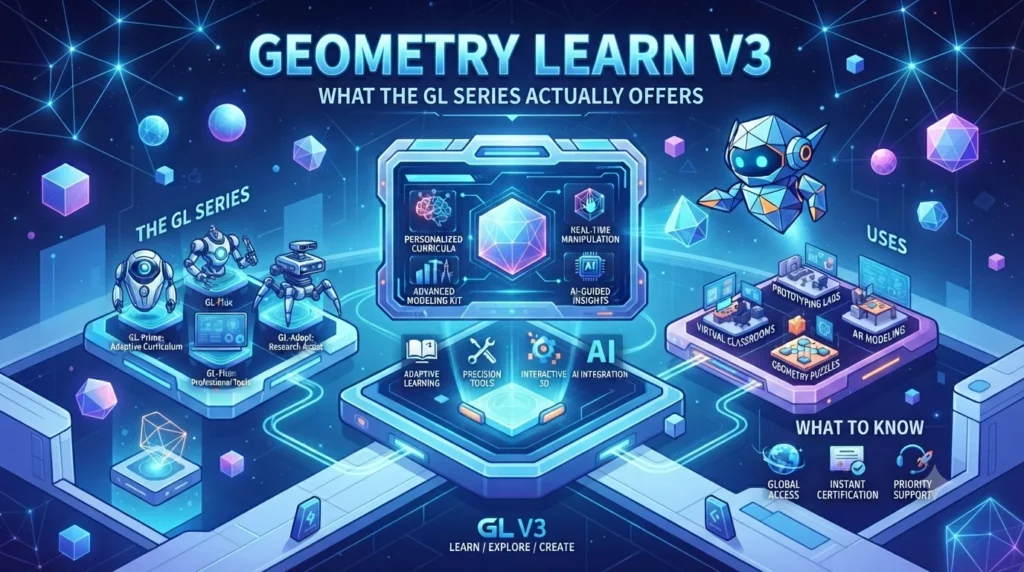
Geometry Learn V3: What the GL Series Actually Offers.
Introduction
Geometry Learn V3 is a web-based project associated with the GL Series, but its identity is less straightforward than its name suggests. The publicly accessible project identifies itself as “V3” and “The GL Series” and currently provides sections for Games, Apps, Extras, and Beta Search.
That structure is important because the name can make the website sound like a dedicated online mathematics course. However, the public interface does not clearly present a formal geometry curriculum, accredited instruction, or a structured sequence of mathematics lessons. Recent third-party pages also describe the term in different ways, ranging from an interactive geometry-learning resource to a browser-based games and applications hub.
This guide separates what can be verified from the live project from claims that appear mainly on third-party websites. It also explains how Geometry Learn V3 may relate to geometry learning, what users can expect, the limitations to consider, and how to evaluate the resource safely.
Quick Answer: What Is Geometry Learn V3?
Geometry Learn V3 is a browser-based project associated with the GL Series. Its public interface currently displays V3 branding, Games, Apps, Extras, and Beta Search. The site does not publicly establish itself as an accredited or comprehensive geometry curriculum.
| Key Fact | What the available evidence shows |
|---|---|
| Name | Geometry Learn V3 |
| Public branding | V3 / The GL Series |
| Format | Browser-based website |
| Public project | Hosted on Neocities |
| Visible sections | Games, Apps, Extras |
| Search feature | Beta Search v0.32.12.7 |
| Formal geometry curriculum | Not clearly documented |
| Accreditation | Not publicly established |
| Developer information | Limited on the public homepage |
| Educational features reported elsewhere | Vary significantly |
| Best approach | Verify individual features before relying on them |
What Is Geometry Learn V3?
Geometry Learn V3 is the name associated with a browser-based project that publicly identifies itself as V3 — The GL Series.
The current public page is relatively minimal. Its navigation includes links for Games, Apps, and Extras, while the main interface displays a beta search tool. The page also identifies the search system as Beta Search v0.32.12.7.
This information provides a useful starting point for understanding the project.
A person encountering the name for the first time might expect a traditional educational website containing geometry lessons, diagrams, exercises, explanations, quizzes, and worked solutions. The visible project, however, presents a broader browser environment.
Consequently, it is safer to describe Geometry Learn V3 as a browser-based GL Series project rather than automatically calling it a complete geometry course.
That distinction becomes even more important because search results contain multiple interpretations of the name.
Understanding the GL Series
The phrase “The GL Series” appears directly on the public V3 page. The same page places the V3 designation prominently above the series name.
In ordinary software terminology, “V3” can indicate a third version or iteration. However, the available public page does not provide enough documentation to establish a complete development history showing what changed between V1, V2, and V3.
Therefore, users should avoid assuming that V3 represents the third edition of a formal educational program.
The visible branding establishes that the project calls itself V3. It does not independently establish its educational credentials, development team, institutional backing, or curriculum.
What Does GL Mean?
The public interface uses GL Series as its branding. The homepage does not provide a detailed explanation of what the initials represent or a comprehensive history of the series.
For that reason, interpretations about the meaning of GL should be treated cautiously unless they come from direct documentation associated with the project.
What the Current Website Shows
The most reliable way to understand an unfamiliar website is to examine its actual interface.
The current Geometry Learn V3 page visibly contains several important elements.
1. V3 Branding
The homepage prominently displays V3.
This establishes the version label used by the project but does not explain its entire development history.
2. Games
A Games section appears in the site’s primary navigation.
This is significant because games appear to be an important part of the public project. A gaming section can include entertainment, puzzles, interactive activities, or other browser-based experiences.
However, the existence of games does not automatically mean that every activity provides structured geometry instruction.
3. Apps
The website also provides an Apps section.
The label is broad. It does not establish that every item inside the section is a mathematics application or that the resources follow a formal curriculum.
Users should therefore inspect individual tools instead of assuming their purpose from the category name.
4. Extras
An Extras section is also visible on the homepage.
This provides another indication that the project is broader than a conventional lesson-based mathematics website.
5. Beta Search
The homepage identifies its search function as Beta Search v0.32.12.7. A search field invites users to search the web or input a URL.
That functionality further supports the view that the public project operates as a broader browser-oriented environment.
Is Geometry Learn V3 Really a Geometry Course?
This is the most important question for students and parents.
Based on the publicly visible project, there is not enough evidence to describe Geometry Learn V3 as a complete, accredited geometry course.
The homepage does not clearly present a syllabus covering topics such as:
- Lines and angles
- Triangles
- Quadrilaterals
- Circles
- Congruence
- Similarity
- Transformations
- Coordinate geometry
- Geometric proofs
- Area and perimeter
- Surface area and volume
Some third-party pages associate Geometry Learn V3 with interactive geometry education and topics such as shapes, measurements, spatial reasoning, and visual learning. Other investigations describe the publicly accessible project primarily as a browser games environment.
Because these descriptions do not consistently match, it would be misleading to treat every educational claim as a verified feature of the live GL Series project.
A Better Way to Understand It
Think of Geometry Learn V3 as a search term with multiple descriptions online, rather than assuming that every page using the name describes one clearly documented product.
The actual domain and interface provide stronger evidence than an unrelated article repeating a feature list.
Why Online Descriptions Differ
Search results for Geometry Learn V3 currently contain noticeably different explanations.
Some articles describe it as an interactive geometry-learning platform. They mention concepts such as visual learning, geometry activities, spatial reasoning, and digital practice.
Other investigations have examined the actual public site and reported a stronger connection with browser games, apps, and general online resources. One recent analysis specifically noted a mismatch between elaborate educational claims and the visible website structure.
This creates an important research lesson.
Search Results Are Not Primary Evidence
A blog post can describe a website incorrectly, misunderstand its purpose, or repeat information from another article.
When several websites publish the same claim, that does not automatically make the claim verified.
The strongest evidence comes from:
- The original website
- Official project documentation
- Demonstrable features
- Developer information
- Source repositories or project documentation, when available
That approach is especially useful for obscure websites with limited public documentation.
Geometry Learn V3: Games, Apps and Extras
The current project structure suggests that browsing and interactive content are central to the experience.
Games
The Games category is clearly visible on the current homepage.
Interactive games can potentially support skills such as:
- Pattern recognition
- Spatial awareness
- Logical thinking
- Visual problem-solving
- Hand-eye coordination
- Strategic thinking
However, educational value depends on the individual activity.
A game can be entertaining without teaching a specific mathematical concept. Likewise, a puzzle may develop useful reasoning skills without replacing structured geometry instruction.
Apps
The Apps category suggests that users can access browser-based applications or utilities.
The exact contents can change, so older articles should not automatically be treated as a current feature list.
Before using an application for schoolwork, check what it actually does and whether its information is mathematically reliable.
Extras
The Extras category provides another part of the project’s broader interface. Its presence reinforces the idea that the public project is not limited to a traditional geometry lesson format.
How Does Beta Search Fit Into the Project?
The current homepage identifies the search tool as Beta Search v0.32.12.7. It includes an input field described as allowing users to search the web or input a URL.
This is different from what users would normally expect from a standard geometry-learning platform.
A mathematics website might have a search function for finding lessons, exercises, formulas, or topics. Here, the public interface describes a broader web-search or URL-input function.
That difference is another reason to examine the actual site before assuming that its primary purpose is mathematics education.
Can Geometry Learn V3 Still Be Useful for Learning?
Potential usefulness depends on the specific content a user encounters.
Interactive digital resources can support learning when they allow students to visualize concepts, experiment with shapes, identify patterns, and receive meaningful feedback.
For example, geometry learners can benefit from activities involving:
- Shape recognition
- Spatial relationships
- Transformations
- Symmetry
- Measurement
- Coordinate systems
- Visual problem-solving
Yet an interactive activity works best as a supplement when students also receive clear mathematical explanations and opportunities to solve problems independently.
The name of a website cannot guarantee that level of instruction.
Visual Learning and Geometry
Geometry is naturally visual. Students often need to understand relationships between objects rather than memorize isolated formulas.
A useful geometry activity might allow a learner to change the size of a shape and observe how its area changes. Another could demonstrate rotations or reflections visually.
Those experiences can complement classroom learning.
They do not automatically provide a complete curriculum.
Geometry Topics Students Should Look For
If you are considering Geometry Learn V3 or another online geometry resource for study, check whether the specific resource addresses the concepts you need.
Basic Geometry
Beginner learners commonly encounter:
- Points
- Lines
- Rays
- Line segments
- Angles
- Basic shapes
- Polygons
Plane Geometry
More advanced study can include:
- Triangles
- Quadrilaterals
- Circles
- Congruence
- Similarity
- Area
- Perimeter
Coordinate Geometry
Students may also need:
- Coordinate planes
- Distance
- Midpoints
- Slopes
- Equations of lines
- Graph-based geometry
Transformations
Interactive tools can be particularly helpful for:
- Translations
- Rotations
- Reflections
- Dilations
Proofs
Formal geometry courses may eventually require students to construct and understand proofs.
A browser game or visual activity should not be treated as a replacement for this type of structured mathematical reasoning unless it explicitly teaches those skills.
Safety and Privacy Considerations
The safety of any independent website depends on what it currently serves, links to, and asks users to do.
The Geometry Learn V3 homepage is publicly accessible and presents navigation to several sections.
Before using an unfamiliar resource, consider the following.
Avoid Unnecessary Downloads
If a page unexpectedly asks you to install software, browser extensions, or unknown files, stop and evaluate the request first.
A browser activity should not require unrelated software simply because the site uses an educational-sounding name.
Be Careful With Personal Information
Do not provide unnecessary information such as:
- Full name
- Home address
- Phone number
- Passwords
- School credentials
- Financial information
An unfamiliar website should not receive sensitive information without a clear reason.
Check External Links
Games and browser hubs may link to third-party websites.
Treat external destinations separately from the original project. A safe-looking homepage does not automatically establish the safety of every linked page.
Consider Community Features
If a website includes chat, Discord, comments, or other community functions, parents and younger users should apply appropriate online-safety precautions.
How Students Can Evaluate Geometry Learn V3
A simple evaluation process can help students avoid confusion.
Step 1: Open the Current Project
Start with the actual website rather than an article describing it.
The public project currently identifies itself as V3 / The GL Series.
Step 2: Check the Available Sections
Look at the current Games, Apps, and Extras categories.
Do not assume that a feature mentioned in an older article still exists.
Step 3: Identify the Actual Learning Material
If you need geometry help, check whether the resource actually explains the concept you are studying.
Step 4: Verify Important Information
Compare formulas, definitions, and solutions against your textbook, teacher, or another established educational source.
Step 5: Check the Website’s Requirements
Pay attention to:
- Downloads
- Account requirements
- External links
- Permissions
- Advertising
- Personal-information requests
Step 6: Use It for the Right Purpose
A browser activity can be useful for exploration or entertainment without being suitable as your main mathematics resource.
Geometry Learn V3 for Parents
Parents may encounter the term when children search for browser games or educational websites.
The name can create an expectation that the resource is specifically designed for learning geometry. The current public interface, however, presents Games, Apps, Extras, and Beta Search rather than a clearly documented school curriculum.
Parents can evaluate the site by asking:
- What does the child actually access?
- Are there external websites?
- Does the site request personal information?
- Are downloads involved?
- Is the content age-appropriate?
- Does the activity support the child’s learning objective?
- Does the child’s school permit access to the website?
Those questions provide a more useful assessment than the website name alone.
Geometry Learn V3 for Teachers
Teachers should also verify the actual content before using an unfamiliar resource in class.
A useful checklist includes:
| Evaluation Area | What to Check |
|---|---|
| Curriculum | Does it match the lesson objective? |
| Accuracy | Are mathematical explanations correct? |
| Age suitability | Is the content appropriate for students? |
| Privacy | Does the resource request student data? |
| Accessibility | Can students use the interface effectively? |
| Reliability | Is the resource consistently available? |
| Classroom policy | Is the site allowed by the school? |
| Educational value | Does the activity support measurable learning? |
This approach works for Geometry Learn V3 and any other independent online learning resource.
Common Misconceptions About Geometry Learn V3
“The Name Proves It Is a Geometry Course”
It does not.
The current public interface does not establish a formal geometry curriculum.
“V3 Means It Is an Official Third Edition”
The site uses V3 as its public branding, but a detailed history of earlier versions is not clearly documented.
“Every Article Online Describes the Same Product”
The available search results suggest otherwise. Some pages describe an educational platform, while others identify the public project as a browser games and applications hub.
“Games Automatically Teach Geometry”
Not necessarily.
A game can improve problem-solving or spatial awareness without teaching a structured geometry curriculum.
“A Search Result Is Proof of a Feature”
Search rankings do not establish that a feature exists.
The actual website should be checked whenever possible.
Who Might Find Geometry Learn V3 Useful?
The answer depends on what the user wants.
Students: May explore individual browser activities, but should verify mathematical information with established resources.
Parents: Can evaluate the site for age suitability, external links, privacy, and content.
Teachers: Should review specific activities before using them as instructional material.
Casual users: May be more interested in the project’s games, apps, or broader browser functionality.
Serious geometry learners: Should prioritize resources with clearly documented lessons, exercises, explanations, and curriculum coverage.
Frequently Asked Questions
What is Geometry Learn V3?
Geometry Learn V3 is a browser-based project associated with the GL Series. Its public homepage currently identifies itself as V3 and provides Games, Apps, Extras, and Beta Search.
Is Geometry Learn V3 an official geometry-learning platform?
The publicly available evidence does not establish it as an accredited or formally recognized geometry-learning platform.
What does V3 mean in Geometry Learn V3?
V3 is the version designation displayed by the project. The public site does not provide enough documentation to establish a detailed history of previous versions.
Does Geometry Learn V3 have games?
Yes. A Games section is visible on the current public interface.
Does Geometry Learn V3 have apps?
The current navigation includes an Apps section. The category itself does not establish that every listed application is related to geometry.
What is Beta Search in Geometry Learn V3?
The public interface identifies it as Beta Search v0.32.12.7 and provides a field for web searching or URL input.
Can students use Geometry Learn V3 for homework?
Students can explore relevant activities, but they should not assume that information found there is authoritative. Important mathematical answers should be checked against textbooks, teachers, or established educational resources.
Is Geometry Learn V3 the same as every website that uses the name?
Not necessarily. Search results contain different descriptions of the term, so users should verify the domain and actual interface before assuming that two pages represent the same project.
Final Takeaway
Geometry Learn V3 is best understood by examining the actual GL Series project rather than relying solely on its name or third-party descriptions.
The current public website identifies itself as V3 — The GL Series and provides Games, Apps, Extras, and Beta Search v0.32.12.7.
At the same time, search results contain conflicting descriptions. Some websites frame Geometry Learn V3 as an interactive geometry-learning resource, while other investigations associate the publicly accessible project more closely with browser games and applications.
For that reason, users should verify the specific resource they are accessing. Students looking for formal geometry instruction should also rely on clearly documented educational materials rather than assuming that a website with “Learn” and “Geometry” in its name provides a complete curriculum.
The most useful lesson is simple: check the actual website, verify important claims, and choose an online resource according to what you need to learn—not simply according to its name.