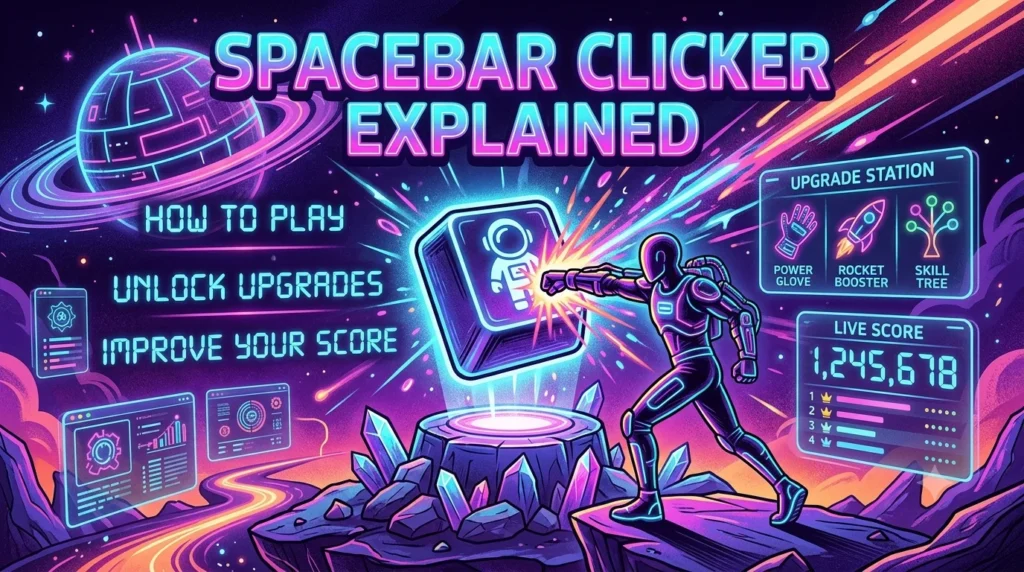
Spacebar Clicker Explained: How to Play, Unlock Upgrades and Improve Your Score.
Introduction
Some games require complex controls, long tutorials and hours of practice. Spacebar Clicker takes a much simpler approach. Players press a keyboard key or click an on-screen button to earn points, build their score and, in many versions, purchase upgrades that make progress faster.
Despite its straightforward concept, the game can become surprisingly engaging. Every press contributes to a growing total, while upgrades introduce choices about how to spend accumulated points. Depending on the version, players may also encounter automatic clickers, multipliers, achievements and other progression features.
However, not every website offers an identical version of Spacebar Clicker. Some focus on idle gameplay and automatic point generation, while others emphasise active clicking, combos or timed challenges. Understanding these differences helps players choose the experience that suits them.
This guide explains what Spacebar Clicker is, how to play it, which strategies can improve your progress and what to check before choosing a version.
Quick Answer: What Is Spacebar Clicker?
| Question | Answer |
|---|---|
| What is Spacebar Clicker? | A browser-based clicking game built around pressing the spacebar or using an on-screen control. |
| How do you earn points? | Press the spacebar or click the game’s designated button. |
| Can you buy upgrades? | Many versions include upgrades that increase points per press or generate points automatically. |
| Is it available on mobile? | Some versions support touchscreen controls, while others require a physical keyboard. |
| Do you need to download it? | Browser-based versions generally run directly on a website, without a separate game download. |
| Is every version identical? | No. Controls, upgrades, saving systems and extra features vary by website. |
| What is the main objective? | Build your score, unlock available features and improve your progress according to the version’s rules. |
1. What Is Spacebar Clicker?
Spacebar Clicker is a simple online game in which the spacebar becomes the main tool for earning points or advancing through a challenge. Rather than relying on elaborate controls, it makes a single repeated action the foundation of the experience.
The name covers several implementations. For example, Poki’s Spacebar Clicker presents an idle-game format with point collection, helpers, keyboard upgrades and combo mode. Meanwhile, Just Hanys’ version on itch.io describes an endless spacebar-smashing game with features such as achievements and statistics.
These examples demonstrate why it is useful to check the actual version before following a specific tutorial.
How Does the Game Work?
Most versions follow a straightforward gameplay loop:
- Press the spacebar or activate an on-screen control.
- Earn points, clicks or other in-game progress.
- Spend accumulated points when upgrades are available.
- Use new abilities to improve your progress.
- Continue playing to reach higher scores or unlock additional features.
Idle versions add another layer because certain upgrades generate points automatically. As a result, players can gradually shift from relying entirely on manual presses to combining active input with automated production.
Who Is Spacebar Clicker For?
The game may appeal to people who enjoy casual browser games, incremental progression and short, repeatable challenges.
Beginners can understand the core mechanic quickly. Meanwhile, players who enjoy optimisation can experiment with upgrade choices and decide how to spend their points efficiently.
It can also be a convenient option during a short break because the basic gameplay usually requires little preparation. However, individual versions differ in complexity, progression systems and session length.
2. How to Play Spacebar Clicker
Getting started is usually straightforward. The precise controls depend on the website hosting the game, but the following steps apply to many versions.
Step 1: Choose a Version
Open the website where you want to play and check its instructions. Look for the start button, the main scoring area and any visible upgrade options.
Do not assume that every website using the Spacebar Clicker name has the same mechanics or saving features.
Step 2: Start Pressing the Spacebar
On a desktop or laptop, press and release the spacebar if the game accepts keyboard input. Some versions also allow mouse clicks on an on-screen key.
Each accepted action contributes to your score according to the game’s rules. In an idle version, you may begin with one point per press before unlocking upgrades.
Step 3: Watch Your Score
Pay attention to the displayed score and any additional statistics. Depending on the version, the interface might show points per press, clicks per second, automatic production or progress towards an achievement.
These indicators help you understand whether your actions are improving your performance.
Step 4: Purchase Available Upgrades
If the game includes an upgrade shop, use your accumulated points to unlock available improvements.
Some upgrades make manual presses more valuable. Others add automatic point generation or increase the effects of existing upgrades.
Before spending your points, check the benefit of each purchase rather than selecting an item simply because it is available.
Step 5: Keep Improving Your Progress
Continue pressing the spacebar, reviewing your options and purchasing useful upgrades. In versions with achievements or milestones, you can also work towards the next target.
Remember that a high score is not necessarily the only objective. Some players prefer unlocking everything, while others enjoy improving efficiency or reaching a personal milestone.
3. Understanding the Main Game Mechanics
Spacebar Clicker may look simple at first, but several mechanics can influence how quickly you progress.
Manual Clicking
Manual clicking is the foundation of the game. Each accepted spacebar press or mouse click earns progress according to the scoring rules.
In the early stages, manual input may be your primary way to collect points. It can also remain useful later if upgrades increase the value of each press.
Automatic Clickers
Some idle versions offer helpers or upgrades that generate points without requiring a new manual press for every point.
For example, the version listed on Poki describes helpers that produce clicks automatically. The available helpers and their output depend on that particular implementation. Read the game’s description on Poki.
Automatic production changes the pace of play. Instead of focusing exclusively on repeated presses, you can use the points generated by your existing upgrades to unlock stronger options.
Keyboard Upgrades and Multipliers
Certain versions include upgrades that increase the value of manual presses. Others offer critical-hit mechanics or multipliers that temporarily or permanently improve scoring.
A multiplier can make each accepted action more valuable. However, its effect, cost and availability are determined by the individual game’s rules.
Always read the description before purchasing an upgrade. Two games with the same name may use different systems.
Combos and Achievements
Some versions reward consistent activity through combo mechanics, achievements or progress milestones.
A combo system may reward consecutive actions within a particular time window. Achievements, meanwhile, can recognise targets such as reaching a score threshold or purchasing specific upgrades.
These features are not universal. If a guide mentions a particular achievement or combo bonus, verify that it exists in the version you are playing.
Saving Your Progress
Progress-saving behaviour also varies. Certain games save automatically, others offer a manual save control, and some may retain progress only for the current session.
For example, the developer’s itch.io update notes describe an autosave option and a manual save control for that version.
Before closing the game, check its save instructions. If progress matters to you, avoid assuming that it will automatically carry over to another browser, device or website.
4. Best Strategies to Improve Your Spacebar Clicker Score
There is no single strategy that works equally well for every version. Nevertheless, several practical approaches can help you make better decisions.
Start With Consistent Presses
When you begin, focus on understanding the controls and building your initial score.
Rapid, uncontrolled pressing is not always necessary. A comfortable rhythm helps you maintain consistency without tiring your fingers too quickly.
If the game includes a timed challenge, learn how its timer and scoring rules work before trying to maximise your speed.
Prioritise Upgrades That Provide Useful Value
In idle versions, an upgrade that generates points automatically may improve long-term progress more than a small increase in manual scoring.
However, this depends on its price and output. An expensive upgrade is not automatically the best purchase.
Compare the cost with the expected benefit. If an upgrade substantially increases your points per second, it may help you afford later purchases sooner.
Balance Manual and Automatic Progress
Once automatic production becomes available, consider combining it with manual input.
You can continue pressing the spacebar while your upgrades generate additional points. In some versions, this combination provides a faster route to progression than relying on either method alone.
On the other hand, a manual-only version may reward rhythm and consistent input instead. Adapt your approach to the mechanics available.
Avoid Spending Without a Plan
An upgrade shop can tempt you to buy every item as soon as you can afford it. Yet doing so may delay a more useful purchase.
Instead, compare the available options. Ask yourself whether an upgrade improves immediate scoring, increases future production or unlocks another part of the game.
A simple plan can prevent unnecessary spending and make progression easier to understand.
Learn From the Game’s Statistics
If your version provides statistics, use them to evaluate your progress.
For example, you might compare your previous score with your current result or examine how a new upgrade changes point generation.
Achievements and performance records can also provide useful milestones. They are particularly helpful when you want to improve over multiple sessions rather than chase a single high score.
Take Breaks When Necessary
Repeated keyboard presses can become uncomfortable during longer sessions. Keep your hands relaxed and take breaks when you notice fatigue.
There is little benefit in pushing through discomfort for a marginal improvement in score. Comfortable, sustainable play is preferable to excessive repetition.
5. Spacebar Clicker on Desktop and Mobile
The best way to control the game depends on the version and the device you use.
Playing on a Desktop or Laptop
A physical keyboard is often the most convenient option for versions designed around spacebar input.
Before starting, check that the game has focus so your presses register correctly. If the page does not respond, click the game area and try again.
Also, follow the instructions for the specific version. Some games require you to press and release the key for each action rather than hold it down.
Playing on a Mobile Phone or Tablet
Some versions provide a large on-screen spacebar that you can tap with your finger. This makes the game accessible without a physical keyboard.
However, touchscreen support is not guaranteed across every website. Check the controls or try the game on your device before investing time in a long session.
If tapping feels awkward or the game does not respond properly, a desktop version may offer a better experience.
Which Device Is Better?
| Feature | Desktop or Laptop | Mobile or Tablet |
|---|---|---|
| Main control | Physical keyboard or mouse, depending on the game | On-screen button where supported |
| Ease of use | Convenient for keyboard-based versions | Convenient for short sessions |
| Control preference | Useful for players who prefer physical keys | Useful for players who prefer tapping |
| Compatibility | Depends on the browser and game | Depends on touchscreen support |
| Best choice | Players who prefer keyboard input | Players who want touch controls |
Neither option is universally better. Choose the device that supports the version’s controls and feels comfortable to use.
6. Benefits of Playing Spacebar Clicker
Although Spacebar Clicker is primarily a casual game, its straightforward design offers several reasons why people may enjoy it.
Easy to Understand
The main action is simple, which means beginners can usually start without learning a long list of controls.
This makes the game approachable for people who prefer uncomplicated browser entertainment.
Short, Flexible Sessions
Many versions let players begin immediately and build progress through repeated actions. You can play for a short break or continue longer if the progression system interests you.
The actual session length depends on your preferences and the game’s design.
A Sense of Progress
Score increases, new upgrades and achievement milestones provide visible feedback. Each improvement can give you a reason to continue playing.
In idle versions, automated production adds another layer of progression because previous purchases can contribute to later goals.
Opportunities to Practise Consistency
Games built around repeated input can encourage players to pay attention to rhythm, timing and personal progress.
However, Spacebar Clicker should not automatically be treated as a scientific typing or reaction-time test. A game’s score reflects its own rules, not necessarily your performance in other activities.
7. Common Spacebar Clicker Mistakes to Avoid
Small mistakes can make the experience less enjoyable or slow your progress.
Assuming every version works the same way: Different websites can offer different upgrades, controls and scoring systems. Read the instructions for your selected version.
Buying upgrades without checking their value: A higher price does not always mean a better return. Compare costs and benefits before spending your points.
Holding the spacebar when individual presses are required: Some games count discrete key presses rather than continuous holding. Press and release the key if that is what the instructions require.
Ignoring save settings: Progress may not transfer between devices or browsers. Check whether the game uses automatic saving, manual saving or session-only progress.
Using unverified third-party downloads: A browser game generally does not need an unknown executable or extension just to accept spacebar input. Avoid downloads from unfamiliar sources.
Playing through discomfort: Repetitive pressing can strain your fingers. Take breaks and stop if the activity becomes uncomfortable.
Avoiding these mistakes can help you enjoy the game while making informed choices about controls, upgrades and online safety.
8. Is Spacebar Clicker Safe to Play?
The answer depends partly on the website you choose. The name Spacebar Clicker is used by multiple game pages, so a familiar title alone does not establish that a particular website is trustworthy.
Before playing, consider these precautions:
- Check the website address: Make sure you are visiting the intended game page rather than a misleading copy.
- Review browser permissions: A simple clicking game should not ordinarily need broad access to your device or personal accounts.
- Avoid unnecessary downloads: Prefer a browser-based version if that meets your needs.
- Be cautious with personal information: Do not provide passwords, payment details or sensitive information without a clear and legitimate reason.
- Check privacy information: If the website offers accounts, leaderboards or cloud saving, review how it describes data collection and storage.
- Use sensible browsing habits: Keep your browser updated and leave unfamiliar pop-ups or suspicious download prompts alone.
These precautions do not mean that every Spacebar Clicker website is unsafe. Rather, they help you evaluate the specific service you are using.
Parents and carers may also wish to check the website, advertisements and any external links before children play.
9. Final Thoughts
Spacebar Clicker turns one familiar keyboard action into a simple game built around scores, repeated input and, in many versions, incremental progress. Its appeal comes from accessible controls and the satisfaction of watching small actions develop into larger achievements.
For the best experience, choose a version that suits your preferred controls and check its specific features before following gameplay advice. If upgrades are available, compare their benefits rather than spending points without a plan. You should also verify how the game saves progress and use sensible online safety practices.
Whether you prefer active clicking, automated upgrades or chasing personal milestones, Spacebar Clicker offers a straightforward way to enjoy casual browser gaming. Start with the basic mechanics, learn how your chosen version works and develop a strategy that makes each session more rewarding.
What is Spacebar Clicker?
Spacebar Clicker is a browser-based game centred on pressing the spacebar or activating an on-screen control to earn points. Depending on the version, it may include upgrades, automatic production, achievements or combo mechanics.
How do you play Spacebar Clicker?
Open a version of the game, start a session and press the spacebar or click the designated button. Earn points and purchase upgrades if they are available. Follow the instructions shown on the website because controls can differ between versions.
Is Spacebar Clicker free?
Some online versions are offered for free, including the version listed on Poki. However, availability, advertisements and additional features may vary by website. Check the terms of the specific game before playing.
Can I play Spacebar Clicker without a keyboard?
Yes, if the version supports mouse clicks or touchscreen input. Some games provide an on-screen spacebar, while others may require a physical keyboard.
How can I get a higher score in Spacebar Clicker?
Start with consistent presses, understand the scoring system and compare available upgrades. In idle versions, automatic production can help build points faster. If your version uses combos or timed challenges, learn those mechanics before attempting to improve your personal record.